
Everything you need to run your scrip program
From order entry to detailed reporting, Scrip Manager handles the complexity so your team can focus on fundraising.
Admin Area
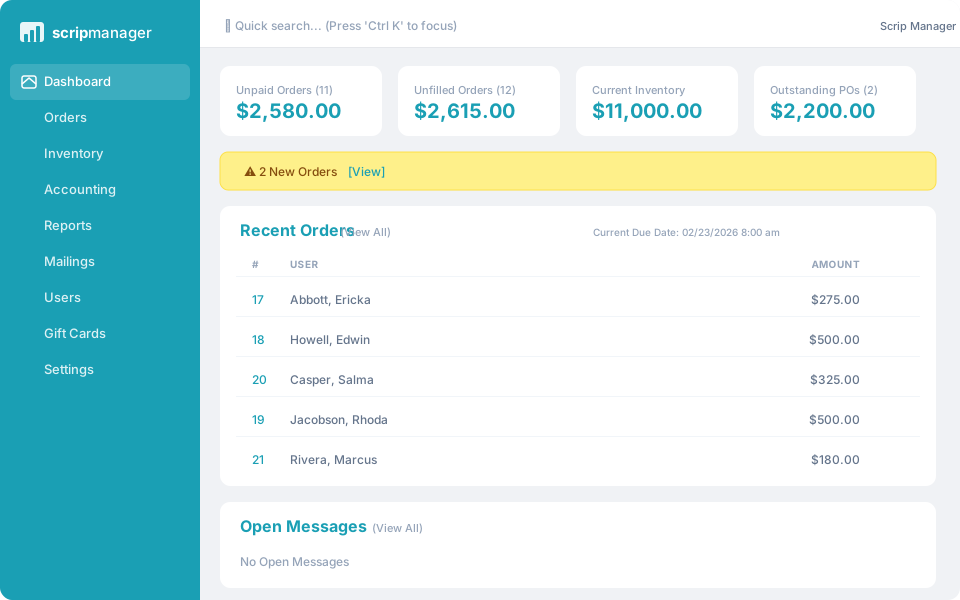
- ✓Easy — Track payments, credits, expenses, and inventory from one dashboard
- ✓Adaptable — Handle unlimited suppliers and direct-order gift cards
- ✓Everywhere — Access from the cloud at school, home, or work
User Area
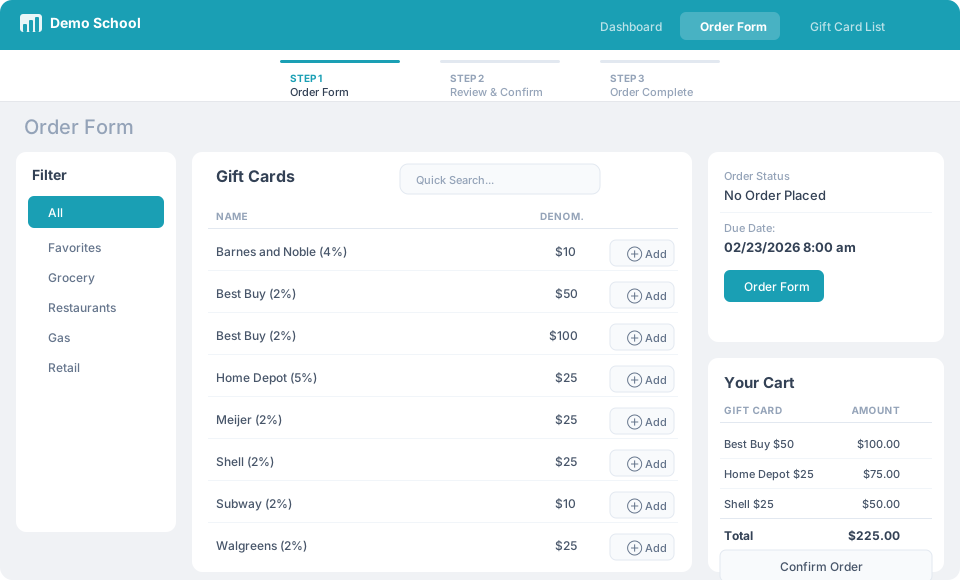
- ✓Simple — Ordering gift cards is like shopping online
- ✓Fast — The order form knows your favorite gift cards
- ✓Track savings — View past orders and total savings daily
- ✓Pay online — Credit/debit cards or ACH bank payment
View, track, and process orders easily
Track All Orders From One Place
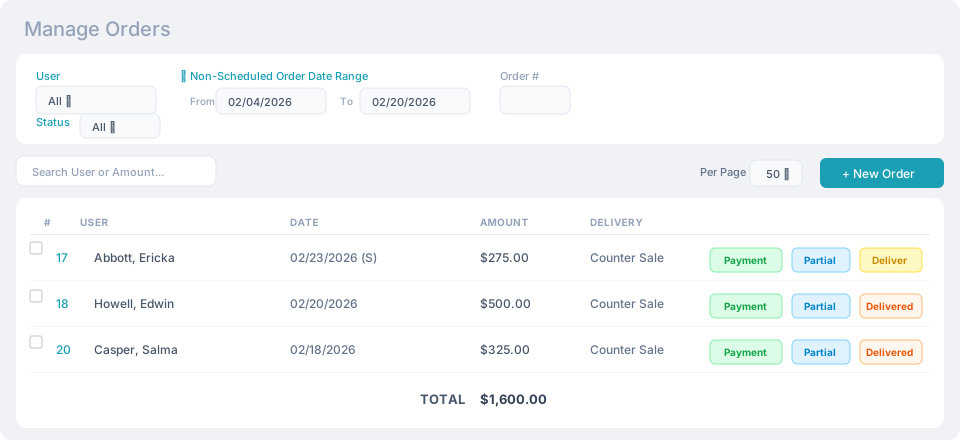
The order tracking page lets administrators view any order placed. The search box filters results instantly to find the exact orders you need.
Process Orders Quickly
View order details, process payment, fill from inventory, and mark as delivered — all from one easy-to-use page.
Adaptable Order Schedules
Weekly, biweekly, or custom order periods. Continuous orders can be placed at any time. A counter sales form handles orders taken in person.
Manage inventory in real time
Track Inventory Automatically
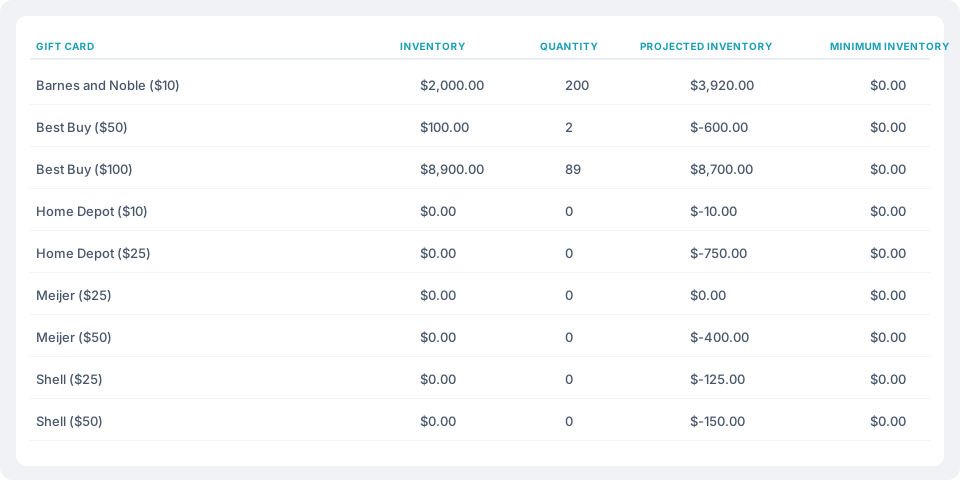
All incoming inventory purchases and outgoing order distributions are reflected in real time and managed with a simple interface.
Purchase Gift Cards Easily
Scrip Manager creates purchase orders with one click. Never miss an ordered gift card. Never run low on inventory.
Fill User Orders Fast
Weekly orders can be filled with one click. The reduction in inventory is immediately reflected. You can also fill partial orders when needed.
Manage payments and credits
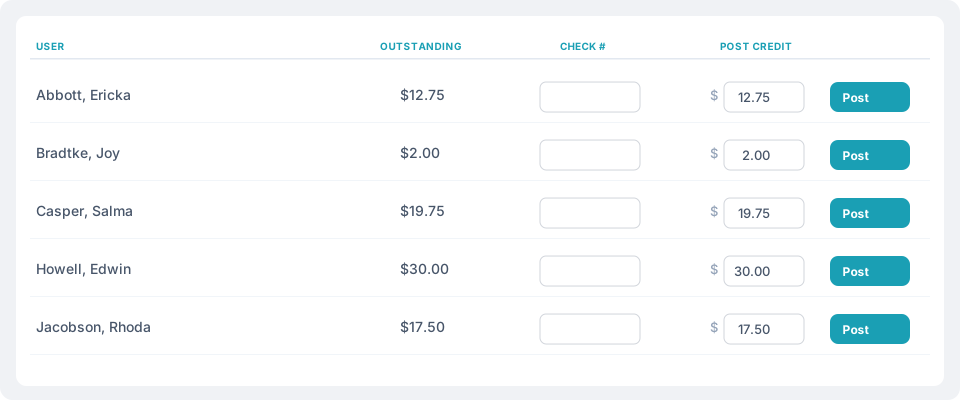
Record Payments & Expenses
All accounting information is tracked in one place. Payments and expenses are recorded automatically so you always know the profitability of your program.
Split Credits & Choose Beneficiaries
Track and post earned credits, then split them across multiple users — siblings, families, or a shared program account — and choose who benefits from each order.
Set Ordering Thresholds
Require users to reach a minimum order amount before they start earning credits, keeping your program's numbers predictable and fair.
Create detailed reports
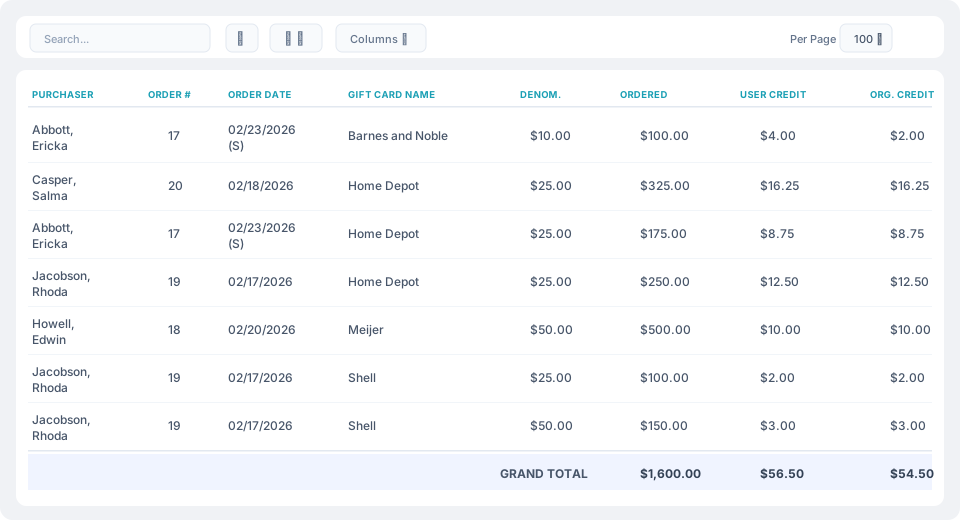
Visualize Everything with Custom Reports
Over 18 different types of reports to customize. Assess any information to analyze the status of your program at any time.
Share and Save Easily
Reports display on screen and are printable in PDF format. Export to CSV for use in any software program for further analysis.
Easy as shopping online
Familiar Shopping Cart Experience
An easy-to-use order form lets users purchase gift cards like any online shopping cart. Simply browse, select the amount, and place the order. Accessible from home, work, or anywhere.
View History and Earned Credits
Users can view past orders, upcoming order schedules, and track all credits earned and posted.
Communicate with Users
Distribute news, program information, and schedule changes. An integrated message system lets users and administrators communicate directly.
Built-in extras at no additional cost
Automatic Backups
Databases are automatically backed up every night to keep your data safe, and every backup is downloadable so your data is always yours to keep.
Multiple Vendors
Track orders and inventory from unlimited vendors — local stores, direct-order gift cards, and programs like RaiseRight and FundScrip — all in one place.
Reminder Emails
Automatically email each user on a schedule you set to remind them it's time to order, so families never miss a gift card deadline or an ordering window.
Restrict Out-of-Stock Ordering
Stop users from ordering more of a gift card than you currently have in stock, so inventory is handled first-come, first-served.
Delivery Notification Emails
Automatically email purchasers a confirmation with order and payment details as soon as their order is marked delivered.
Mailing Lists
Send newsletters, announcements, and gift card promotions to user groups or custom lists to keep families engaged and boost sales.
Ready to simplify your scrip program?
Start your free 30-day trial — no payment information required.